Graphics card modification for Morphos
  • Just looking around
    Posts: 17 from 2025/1/5
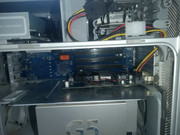
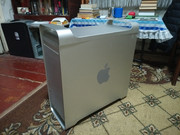
    After a long search, I finally managed to buy my first PowerMac G5 7.2, which still works great after all these years! Gd8a-G9al-SYP2Yrkhx-KL6uxrap-Nj-OA6Bzo-Rh-Jsq-Mw-Tx-Kw-CTs-FPAd-Ktph-Rbuv-Nif-SVWbmt-FHSCa4FJ5r-Ft-z eikh-P3f-xk-EPUad-z40o-sk-Hcv-C7h-Pz-Rti-C8TCDWeec-CD4Mdv1Il-Kl-CXnzpc-Bcatp-PNq-Jt-WERq52Cs-N1a82RK o-NAVt2Rh2om-ZTW8cim2gj9xl0jo8Z7me-Qj-Edzv-PT2Cq-QHJ5FLKns7d6I2Gd-ALKJlo-F2Zj-XFcsm-Igt-HD-m-NH0X6

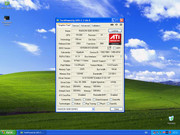
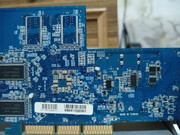
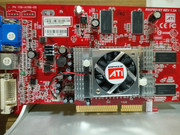
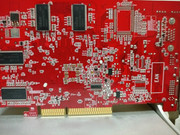
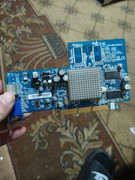
    MacOS does run great, but to get the Morphos experience I need to use an ATI graphics card. I have one old Radeon 9200 SE card from Gigabyte It-R8lp-OYKDAUrx-Coxst64cy-Ci-DGe257Xm-Iey-8fhiyqiwq-EVJOPQdtin7y-Oa-Zu-Y1r-TEqf9m-TXhz-Io-ZHf-Ff3X7 but I have no idea if it will work on a Mac and if I need the corresponding ROM file, since the frequencies of this card are not quite standard for the 9200 series Bezymannyj


    Is there any way to make this card compatible with Mac and what do I need to do for that?
  • »16.12.25 - 13:42
    Profile
  • Order of the Butterfly
    Order of the Butterfly
    sailor
    Posts: 450 from 2019/5/9
    From: Central Bohemi...
    If you want see output from firmware and use OSX, you need Retail/OEM/Flashed card.
    Here is compatibility chart,

    I.e. PC card needs to be flashed with reduced ROM.
    Here is flash howto and download section.
    AmigaOS3: Amiga 1200
    AmigaOS4: Micro A1-C, AmigaOne XE, Pegasos II, Sam440ep, Sam440ep-flex, Sam460LE, AmigaOneX1000
    MorphOS: Efika 5200b, Pegasos I, Sam460LE, Pegasos II, Powerbook G4, Mac Mini, iMac G5, Powermac G5 Quad
  • »16.12.25 - 15:42
    Profile
  • Just looking around
    Posts: 17 from 2025/1/5
    Am I correct in understanding that for my card I need a rom with the name "9200SE, No ATI Driver Support", the other firmwares won't work for me due to different memory/core frequencies?
  • »16.12.25 - 17:30
    Profile
  • Paladin of the Pegasos
    Paladin of the Pegasos
    koszer
    Posts: 1344 from 2004/2/8
    From: Poland
    Quote:

    sailor wrote:
    If you want see output from firmware and use OSX, you need Retail/OEM/Flashed card.
    Here is compatibility chart,

    I.e. PC card needs to be flashed with reduced ROM.
    Here is flash howto and download section.


    Also, it's worth noting that Radeon 9200 needs moving one resistor to to be "mac compatible".
  • »16.12.25 - 19:00
    Profile
  • Order of the Butterfly
    Order of the Butterfly
    sailor
    Posts: 450 from 2019/5/9
    From: Central Bohemi...
    Quote:

    olevenets wrote:
    Am I correct in understanding that for my card I need a rom with the name "9200SE, No ATI Driver Support", the other firmwares won't work for me due to different memory/core frequencies?


    Unfortunatelly you cannot use that ROM also.
    "9200SE, No ATI Driver Support" is Modified ATI PPC ROM - i.e. it is 128 KB size
    standart PC cards like yours has ROM only 64KB and this image not fits in.

    Your card is GV-R92128TE Gigabyte Radeon 9200, it has slower memory 166 MHz than standard Radeon 9200 (= 200 MHz ).

    You have several options:
    1. try Reduced ATI PPC ROMs - it has size 64KB and fits in your card. There are two of them for 9200: unknown and Tome. But as you said, it's for memory freq is 200 MHz and it probably will not work with your card and you can brick the card.
    Is possible to change memory frequency in ROM to 166 MHz, but it needs also checksum modification. You have to search through macelite or other modders forum.

    2. change the ROM chip on your card to 128KB version - also need some skills and informations from modders forum.

    3. buy other card according to compatibility chart add follow instructions in ATI buying guide.
    But from this chart, do not use PC X850XT - it has no working reduced ROM.
    You can use also FireGL X3 not mentioned here and flash it with FireGL reduced ROM.

    I recommend option 3.

    [ Edited by sailor 17.12.2025 - 07:40 ]
    AmigaOS3: Amiga 1200
    AmigaOS4: Micro A1-C, AmigaOne XE, Pegasos II, Sam440ep, Sam440ep-flex, Sam460LE, AmigaOneX1000
    MorphOS: Efika 5200b, Pegasos I, Sam460LE, Pegasos II, Powerbook G4, Mac Mini, iMac G5, Powermac G5 Quad
  • »17.12.25 - 06:33
    Profile
  • Just looking around
    Posts: 17 from 2025/1/5
    Will firmware 9200 by Tome/unknown work with my graphics card? I think it should work fine with a higher memory frequency, although I'll still test overclocking in Windows first
  • »18.12.25 - 05:59
    Profile
  • Order of the Butterfly
    Order of the Butterfly
    sailor
    Posts: 450 from 2019/5/9
    From: Central Bohemi...
    Quote:

    olevenets wrote:
    Will firmware 9200 by Tome/unknown work with my graphics card? I think it should work fine with a higher memory frequency, although I'll still test overclocking in Windows first


    Good idea!
    If you try at first overclock it on Windows at 200 MHz and it will works,
    it highly increase the PROBABILITY that card will work with one of 9200 reduced firmwares ( Tome/unknown ). We are not 100% sure - to be sure you have to ask at some powermac mods forums ( like https://forums.macrumors.com/forums/powerpc-macs.145/)

    And not forget to check the resistors mentioned by kozser - in this guide too.
    AmigaOS3: Amiga 1200
    AmigaOS4: Micro A1-C, AmigaOne XE, Pegasos II, Sam440ep, Sam440ep-flex, Sam460LE, AmigaOneX1000
    MorphOS: Efika 5200b, Pegasos I, Sam460LE, Pegasos II, Powerbook G4, Mac Mini, iMac G5, Powermac G5 Quad
  • »18.12.25 - 07:52
    Profile
  • Just looking around
    Posts: 17 from 2025/1/5
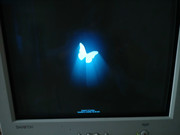
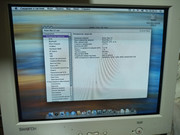
    Morning, I have flashed my 9200se using a rom from Tome with the command atiflash.exe -p -sst 0 -f, but it doesn't work with my mac showing the following screen on boot:

    c-loh-KGKe-Zv-z6Quvm-P6c1Ua-CGBz-R6Jr-LDCpy23d6Gci-IY82q9ab-WCf-WNoq-Znp-Sp-Mv8X60i-FROi0h-Ji83nrngw

    I hope this is not a bug and the card is working properly, now I have to remove some resistors on the board, right? Could you please tell me what exactly and where I need to change for it to work properly? I'll hand this over to a specialist because I can't handle it myself

    H0q-PGGnt9Om7j-Gy80350EHFkrua-TZMe2v-MZCRFrq-Zyy-hda-BS-K-P9b-Lfxir7ie1x-BAc3Avyhz9K9U6HVUl7TQyu
  • »21.12.25 - 09:07
    Profile
  • Paladin of the Pegasos
    Paladin of the Pegasos
    koszer
    Posts: 1344 from 2004/2/8
    From: Poland
    You need to find a pair described R229 and R230 and put the resistor from the position 229 to 230.

    Like on this picture.

    In your case it's (most probably) this pair:

    Be0634c.png
  • »21.12.25 - 19:03
    Profile
  • Just looking around
    Posts: 17 from 2025/1/5
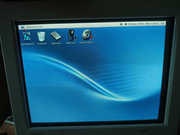
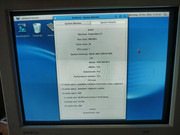
    Thank you so much! The resistor hack really worked! I was able to connect the graphics card and even install Morphos on my computer!

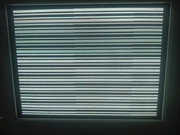
    1b-JF0Y5o-Uj-P4NGNNVe-UHr-STh-M-xp-APa-DGJYSk-Pt-Ea-V7HOl1mw4Ygnai-FAa7d20s-zm-Q43XMysd3AJy-DUxi-Lw Kdp-XB9945Yr3y-Jyb-Ww7m-F-DEh-Hve-WKlat-De-IDG2Tkjsf-Kj-FSJ3r-Gt8Wt-O2f-J1hs-M9e-X132-JKp-ABv-Yeyj3D 3BYb-Ss-KP4HAVXWoake-ASZOI9P18xmfw-Clz0m-Nx-XQJc-SXEcq6o-JUW-m-BKZe-H0j8n-P-6PARJn-A0r-Y7ktv-ECAU1H

    Everything works fine, but the question remained how to correctly set the boot priority in OpenFirmware, because the CD-drive tray constantly ejects during each boot. I see the standard value "boot-device hd:1,\\:tbxi", but I don't have macOS on my hard drive.
  • »22.12.25 - 14:15
    Profile
  • Paladin of the Pegasos
    Paladin of the Pegasos
    koszer
    Posts: 1344 from 2004/2/8
    From: Poland
    Wow, mate. That's like super low res. Is this 800x600?

    Quote:

    olevenets wrote:
    how to correctly set the boot priority in OpenFirmware, because the CD-drive tray constantly ejects during each boot. I see the standard value "boot-device hd:1,\\:tbxi", but I don't have macOS on my hard drive.


    I believe this boot-device OF entry was made by MorphOS, most of the time it's not needed to tinker with it (unless maybe if you have a dual boot machine). As for why your tray keeps opening during start - have you tried unplugging your mouse/keyboard as a test they're not triggering the issue? You can also zap the PRAM (Mac users apparently use it as a first fix that comes to their minds for most of their hardware problems - pretty much like a phrase "how about recapping your motherboard?" in classic Amiga world).
  • »22.12.25 - 14:39
    Profile
  • Order of the Butterfly
    Order of the Butterfly
    sailor
    Posts: 450 from 2019/5/9
    From: Central Bohemi...
    Quote:

    olevenets wrote:
    Thank you so much! The resistor hack really worked! I was able to connect the graphics card and even install Morphos on my computer!


    Great news! Congratulations and welcome to MorphOS club!
    AmigaOS3: Amiga 1200
    AmigaOS4: Micro A1-C, AmigaOne XE, Pegasos II, Sam440ep, Sam440ep-flex, Sam460LE, AmigaOneX1000
    MorphOS: Efika 5200b, Pegasos I, Sam460LE, Pegasos II, Powerbook G4, Mac Mini, iMac G5, Powermac G5 Quad
  • »22.12.25 - 15:14
    Profile
  • MorphOS Developer
    cyfm
    Posts: 575 from 2003/4/11
    From: Germany
    Quote:

    olevenets schrieb:
    Everything works fine, but the question remained how to correctly set the boot priority in OpenFirmware, because the CD-drive tray constantly ejects during each boot.


    Do you have a Logitech wireless keyboard attached to the machine ? I've seen this behaviour with my Logitech MX Keys keyboard at least, unfortunately. I added some line into the MorphOS user-startup to close the tray again because this already seems to happen before MorphOS is running.
  • »22.12.25 - 21:59
    Profile Visit Website
  • Just looking around
    Posts: 17 from 2025/1/5
    I also noticed that after reflashing I only had 64 megabytes of memory left, although the video card initially had 128...
  • »23.12.25 - 16:09
    Profile
  • Just looking around
    Posts: 17 from 2025/1/5
    It seems that my old PS/2 keyboard connected via a USB adapter is causing the CD tray to pop out when the computer boots up
  • »23.12.25 - 16:12
    Profile
  • Just looking around
    Posts: 17 from 2025/1/5
    I probably need to find one of the original Apple keyboards, but the prices for them here are not at all democratic...

    [ Edited by olevenets 25.12.2025 - 15:16 ]
  • »25.12.25 - 15:15
    Profile
  • Moderator
    Kronos
    Posts: 2526 from 2003/2/24
    As much as I am a sucker to these Aluminium Apple KBDs you might want to try some random cheap USB KBDs 1st.

    Most of them will work just fine.
  • »25.12.25 - 17:16
    Profile
  • Just looking around
    Posts: 17 from 2025/1/5
    I also managed to find an old Radeon 9600, and when the seller sends it to me, I can also try to reflash it to work in Morphos. Are there any hacks to work with this card or will it be enough to simply replace the necessary firmware?
  • »28.12.25 - 06:42
    Profile
  • Paladin of the Pegasos
    Paladin of the Pegasos
    koszer
    Posts: 1344 from 2004/2/8
    From: Poland
    Quote:

    olevenets wrote:
    I also managed to find an old Radeon 9600, and when the seller sends it to me, I can also try to reflash it to work in Morphos. Are there any hacks to work with this card or will it be enough to simply replace the necessary firmware?


    The 9600 models are really a bit unpredictable. I'd give you a 50% chance that it will work after reflashing. You'd be better off with a 9800 really (and these are quite well documented when it comes which model you should look for), but 9800s are quite rare these days.
  • »28.12.25 - 18:12
    Profile
  • Just looking around
    Posts: 17 from 2025/1/5
    I reflashed my 9600pro with the 9600xt ROM because it was giving stable results with higher frequencies in tests. wt-Zm-Bh6z8h-SHPO9s1h-Zqq-A2V0e-Sgt8-x7Dl-KMVq-Gfy0k-FTn-Vh2-p-YVO6Oz-Gcq-Btr-J7Vox-v-NTxl-Vc-ZLVc5O CUi-VLGTh5Sya-T7gd23hlws-QGG9CKw-MTW0k-Clky7zc6Sk-NNx-Nc-OIin-EQ06Cun-QZ-a-V4J1i-RR0az-L-E8a-RIQy-Pi
    Unfortunately, this didn't work for me. I only see a black screen, and it seems the system won't boot with this card at all. Now I have a brick, but it is not so expensive for me to seriously worry about it.
    It looks like the best I can get on my PC is the Saphire Radeon 9250, which has a 128-bit bus and 256MB of memory. It will cost me about $5, but at least it has a digital output, unlike my current 9200se, which only has a VGA connector and a 64-bit data bus.
  • »02.01.26 - 14:07
    Profile
  • Just looking around
    Posts: 17 from 2025/1/5
    I was able to find a Sapphire HD 4650 1GB DDR2 AGP advertised as compatible with Morphos.
    I also used the extra SATA port from the second hard drive to connect the 6-pin power supply to it, as I simply don't know where else I could power it. It seems like my motherboard doesn't have any other available ports. The fan is spinning and the LED is not red. Unfortunately, this video card doesn't work for me either: the system seems to boot, but the screen remains black. I tried different cables, adapters and multiple monitors but nothing helped. This card is fully functional and connects to PC without any issues. r-BLFvnx-GHj-O2Dd-PT9s-FH7ab9Fc-GLk-VVo3ei0Pve-NPet-YKg-D9o0t-Ok-QJb-VCff-Yf2OVdip-Vhg-Uyk-Quhb-Xzm

    [ Edited by olevenets 07.01.2026 - 20:44 ]
  • »07.01.26 - 20:43
    Profile
  • Paladin of the Pegasos
    Paladin of the Pegasos
    koszer
    Posts: 1344 from 2004/2/8
    From: Poland
    Quote:

    olevenets wrote:
    I was able to find a Sapphire HD 4650 1GB DDR2 AGP advertised as compatible with Morphos.
    I also used the extra SATA port from the second hard drive to connect the 6-pin power supply to it, as I simply don't know where else I could power it. It seems like my motherboard doesn't have any other available ports.


    That's the correct way. You could also draw the power from your optical drive Molex connector.


    Quote:

    Unfortunately, this video card doesn't work for me either: the system seems to boot, but the screen remains black. I tried different cables, adapters and multiple monitors but nothing helped. This card is fully functional and connects to PC without any issues.


    It seems to have three output ports: HDMI, DVI and D-SUB. Did you try all three?
  • »08.01.26 - 07:40
    Profile
  • Moderator
    Kronos
    Posts: 2526 from 2003/2/24
    AtomBIOS cards like your HD4650 are a hit and miss with AGP Macs. Got one 3450? working with mine under 3.19b but not with ( early) 3.20b.

    Guess why I went out and bought a PCIe one……

    And even with that some cards just won’t play ball.
  • »08.01.26 - 07:40
    Profile
  • Just looking around
    Posts: 17 from 2025/1/5
    I also tried this card with Linux, trying to boot the installation of Lubuntu 14.04.6 and Adelie. No image, just a black screen. It seems to be some kind of hardware problem and it is not related to the operating system used on the computer...
  • »19.01.26 - 19:48
    Profile